
![[IPWatchdog Logo]](https://ipwatchdog.com/wp-content/themes/IPWatchdog%20-%202023/assets/images/temp/logo-small@2x.png)

 2
2 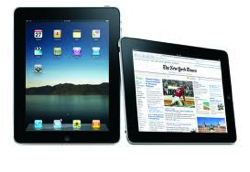 My brother-in-law has been a lover of all things Apple for as long as I can remember. In fact, on the first day the iPad was released, he waited in line several hours just to be one of the first people to get one. Every time I would complain about my PC and the issues I was having, he’d inevitably say, “Gotta get a MAC.” First, we got our iPhones. Next, after many hours and probably even days of lost work time, we finally broke down and bought my iMac. And most recently, I received my beloved iPad as a gift, which I quickly realized and am still learning just how essential this tool has become to my business. In fact, with all of the applications available for my iPad, it has replaced my PC laptop. I’ve written articles on Mobile Business and Mobile Social Media apps you can download to your iPhone, iPad and iPod Touch to take your business on-the-go. Following is the next installment of my business apps series that can help you take your business on the road with you, make your businesses more efficient and Make Small Businesses Look Bigger.

Quickoffice Connect Mobile Suite
Created by Quickoffice, Inc., Available for USD $9.99
The Quickoffice Connect Mobile Suite Application can be found in the Business Category. The current version, which is 3.3.0 was last updated on August 23, 2010 and requires 13.7 MB of space on your portable electronic device. This application is available in English, French, German, Italian, Japanese, Spanish and both simplified and traditional Chinese.
This application has an average customer rating of 3.5 out of 5 stars and is rated rated 4+, which means it contains no objectionable material. This app is compatible with the iPhone and iPod touch. There is an iPad version of this app that I will review next. As is the case with most apps, it requires iOS 3.0 or later.
The Quickoffice app is a full-featured Microsoft Office productivity suite for your iPhone or iPod Touch that does not require a desktop application to be installed. This application offers integrated access to multiple “cloud” services such as MobileMe, Dropbox, Google Docs and Box.net, that you can access directly through your iPhone or iPod Touch.
The application features advanced word document processing that allows you to create, open and edit Microsoft office files including word docs, in both DOC and DOCX and TEXT formats. It has extensive text formatting including bold, italics, underline, and various font sizes and styles. When typing, it features wrap text at any zoom level so you do not have to scroll left to right for each line. And it allows you to adjust the indentation level of bulleted or numbered lists and paragraphs.
It also features advanced excel spreadsheet editing capabilities including the ability to create, open and edit excel spreadsheets including XLS and XLSX formats.
You can also access, view and/or email attachments with popular file formats such as PPT, PDF, HTML, PNG, JPG, GIF, MP3 and more. It also includes full Quickoffice functionality and service for remote access, email, WiFi and file management but does not require a desktop application to be installed and is guaranteed for Microsoft compatibility.
So What’s New in Version 3.3.0?
- The program now offers full multitasking support (although I don’t know what they really mean by that as I have not encountered it)
- The application now gives you the ability to open files from external applications
- States that it is not optimized for retina display
- And has made general stability improvements
 Quickoffice Connect Mobile Suite for iPad
Created by Quickoffice, Inc., Available for USD $14.99
The Quickoffice Connect Mobile Suite Application can be found in the Business Category. The current version, which is 2.0.0 was last updated on December 22, 2010 and requires 20.9 MB of space on your portable electronic device. This application is available in English, French, German, Italian and Spanish.
This application has an average customer rating of 3 out of 5 stars and is rated rated 4+, which means it contains no objectionable material. This version of the app is made specifically for iPad and requires iOS 3.2 or later.
Like the iPhone and iPod touch version of Quickoffice, the iPad version features advanced word document processing that allows you to create, open and edit Microsoft office files including word docs, in both DOC and DOCX and TEXT formats but features a Multi-edit toolbox for editing. It has extensive text formatting including bold, italics, underline, and various font sizes and styles and allows you to edit bulleted and numbered lists and paragraphs.
This version also features advanced excel spreadsheet editing capabilities including the ability to create, open and edit excel spreadsheets including XLS and XLSX formats. In addition this version features a multi-edit toolbox for editing, a professional-grade calculation engine with more than 125 built in functions and a formula builder to create easy calculations within the spreadsheet. In addition this version supports advanced excel features such as the ability to copy and paste cells, columns, rows, cell ranges and formulas.
I use this application myself because traveling with my iPad is so much easier then trekking along a heavy laptop. However, there are some quirks that either I have yet to figure out or that are bugs that need to be fixed. Regardless, I think this app is essential if you are going to use your iPad as a regular business tool.
So What’s New in Version 2.0.0?
- The program now offers an advanced PowerPoint editor allowing you to create, view, edit and save PowerPoint 2003 documents, but only allows you to view PowerPoint 2007 documents.
 WhitePages
Created By WhitePages.com, Available for Free
The WhitePages Application can be found in the Reference Category. The current version, which is 1.7 was last updated on December 09, 2010 and requires 2.5 MB of space on your portable electronic device. This application is currently available in English only.
This application has an average customer rating of 3 out of 5 stars (although I rate it a 5 out of 5) and is rated rated 4+, which means it contains no objectionable material. This version of the app is compatible with iPhone, iPod touch, and iPad and requires iOS 3.0 or later.
I can’t tell you how often I use this application and am seldom disappointed with the results. This application features over 200 million U.S. adults and businesses making it easy to search for people, find businesses. You can also use their reverse telephone number search to identify unknown calls that come into your home or cell phone essentially acting as a caller ID.
With this application you cannot only look up almost anyone with WhitePages People Search, the largest U.S. directory, but you can also add the phone numbers and addresses you find to your iPhone Contacts directory by either creating a new contact or updating an existing contact.
This app also allows you to search the yellow pages for business searches to find local business info either by name or category. The yellow pages search feature also offers a store locator. You can scroll through smart icons that display when stores are in your vicinity. If you are traveling, you can even choose a different location to search near your next destination. Finally you can get maps and driving directions from your current location for any search of white and yellow pages.
Given that I sell lia sophia Jewelry as a fun part time hoppy, I use this application all of the time. Whenever a hostess gives me names and locations for her guests I use this application to look up as many phone numbers as I can find as well as to verify addresses when I cannot read a hostesses handwriting. All of my recent search results are saved so I can access them even when I am off the network.
So What’s New in Version 1.7?
- This application has been optimized for iPad use
- Now offers a Store Locator that allows you to find businesses near you.
- When you find the business you are seeking, you can view maps and visit websites directly from the links featured in the app.
- The application now features a results map that allows you to see all results for People and Business Searches in a single map view.
- This version also features fixes for Auto Complete and location detection bugs that occurred in the previous version.
Stay tuned for my next installment of Business Application reviews. As with my previous article on this topic, I welcome your feedback on business apps that you use on a regular basis that you feel would be a good tool for me to share with the IPWatchdog audience.
![[Advertisement]](https://ipwatchdog.com/wp-content/uploads/2024/04/Patent-Litigation-Masters-2024-sidebar-early-bird-ends-Apr-21-last-chance-700x500-1.jpg)

![[Advertisement]](https://ipwatchdog.com/wp-content/uploads/2021/12/WEBINAR-336-x-280-px.png)
![[Advertisement]](https://ipwatchdog.com/wp-content/uploads/2021/12/2021-Patent-Practice-on-Demand-recorded-Feb-2021-336-x-280.jpg)
![[Advertisement]](https://ipwatchdog.com/wp-content/uploads/2021/12/Ad-4-The-Invent-Patent-System™.png)







Join the Discussion
2 comments so far.
Peter Robertson
January 22, 2011 07:58 amI think the best mobile business Apps for iPod / iPhone are as follows (in no order):
1. iSMEStorage – Great local and Cloud File Manager and enables me to edit my Google Docs files on iWork using it’s CloudDav feature.
2. OneMail – have all Mail stored locally and searchable
3. iWork – the best office editing package for the iPad
FormotusGlen
January 22, 2011 12:48 amRenee – You might want to check out Formotus Forms Central, a whole new type of iPad app. Not a handy tool for busy business people like what you’ve been reviewing here, Forms Central is client software that opens the iPad up to serious custom mobile business solutions delivered from the Internet. Companies can create their own custom business forms including business logic, signature capture, photos with ink annotations, GPS geo-tagging, you name it — all without writing a line of code. These business forms are then pushed to mobile workers performing all manner of inspections, deliveries, field service, surveys, etc. Best of all, the same form that runs on iPad, iPod and iPhone, will also run on Android devices, Windows Mobile, and more to come.
Get the client in your favorite app store or Android market and try out some demo forms yourself for free.
-Glen
http://www.formotus.com